LedgerPrime runs the complete weekly budget cycle of Your Company (Pvt) Ltd — department budget sheets come in by Excel, Finance reviews and approves line by line, cheques go out against approved budgets only, and week-end expenses close the loop with a full compliance report.
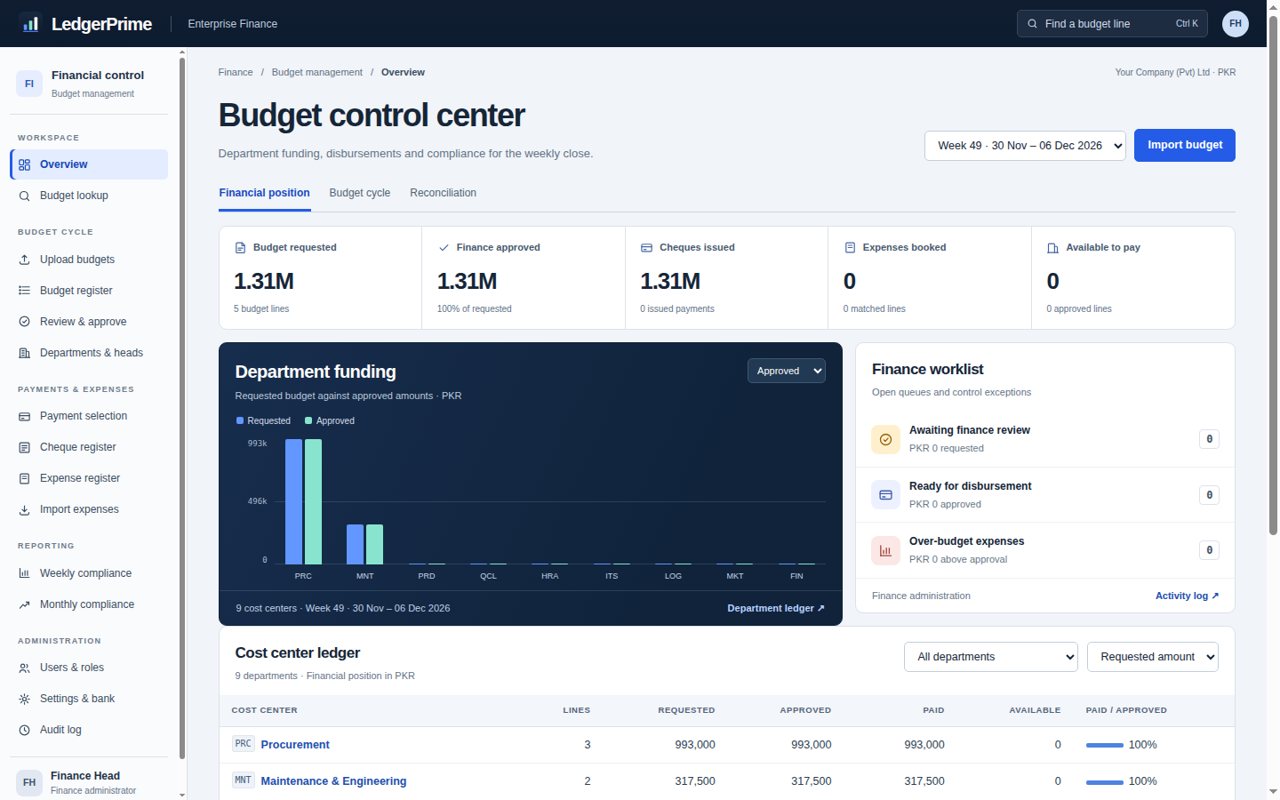
No scattered spreadsheets, no chasing departments for formats. Each part of the cycle lives in LedgerPrime, connected to the same budget lines.
Every department downloads its own Excel template with its approved budget heads. Purpose, payee, Work Order #, PO # and Project # are captured on every single line.
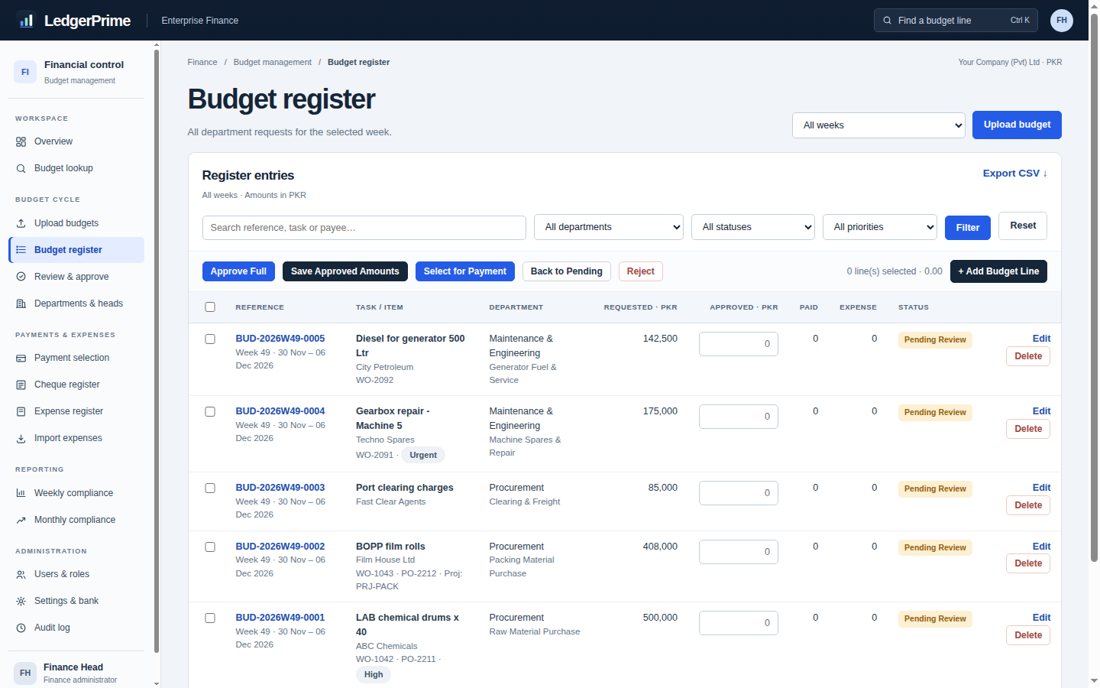
Upload the department sheets and Finance works one queue: approve in full, approve a partial amount, or reject — with the week’s totals updating as you decide.
Select approved lines for payment and generate cheques with automatic numbering and amounts in words — printable cheque and payment voucher included.
Import the week’s actual expenses and LedgerPrime auto-matches each one to its budget line by Budget Ref, Work Order #, PO # or task name.
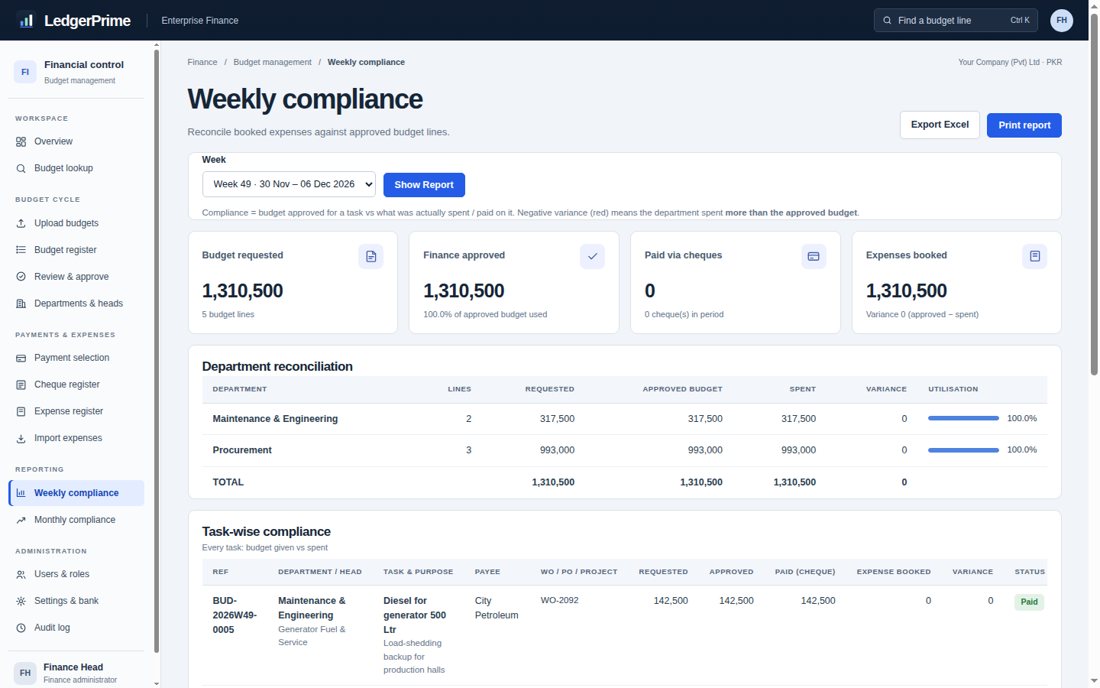
Budget given vs actually spent — task-wise, department-wise and payment-wise, weekly and rolling into monthly, with over-budget lines flagged and Excel export.
Someone comes for a payment? One search by task, Work Order or PO shows the approved budget, what is already paid, and the balance — with a complete audit log behind it.
Each department fills its own Excel template — task, purpose, Work Order, PO, Project, amount — and sends it to Finance.
Budgets are uploaded department-wise. Finance analyses every line, approves fully or partially, and the register becomes the single source of truth.
Approved lines are selected for payment; cheques are prepared, printed and issued — posting the payment back to the budget line automatically.
Week-end expenses are imported and matched. The compliance report shows budget vs spent for every task, department and payment.

Sign in with your Finance account to open the workspace.